Design partners in logistics: building a smart, automated B2B shipping platform.
Outcome→For one of the largest integrated logistics companies in the USA, we turned an idea and user stories into a complete, development-ready B2B shipping SaaS — dashboard, projects, audience, inventory, kit builder, billing, and a three-step approval flow. The client was satisfied and sent the design straight to development.
ClientBluemark · HapticOne of the largest integrated logistics companies in the USA, digitizing a manual branded-shipping process into a fast, automated B2B SaaS.
EngagementStrategic partnerA research-first design partnership — 2–3 working sessions a week between our Design Manager and the client’s Product Manager.
OutcomeSent to devA complete platform — dashboard, projects, audience, inventory, kit builder, billing, and three-step approval — designed end to end and sent straight to development.
Where we started
What we walked into.
The logistics industry is evolving rapidly, yet many brands still struggle with outdated, manual processes when shipping branded products. Slow workflows, human errors, and inefficiencies create bottlenecks that impact both businesses and recipients.
One of the largest integrated logistics companies in the USA identified this gap and envisioned a streamlined, digital-first solution — one that would empower brands to book courier services seamlessly and manage shipments with ease.
They approached Denovers with a vision to streamline logistics for branded products. Their existing process was entirely manual, slow, outdated, and inefficient, and they wanted to digitize it into a SaaS platform that would let brands book courier services effortlessly and simplify shipping kits to recipients.
They came to Denovers trusting our experience in strategizing and designing complex apps that are easy to use. Having designed applications like these many times, we had the right expertise to join the project.
The story
Strategy first: a research phase, then weekly working sessions with the client’s PM.
To turn the vision into reality, we started with a productive research phase — all the client had was an idea and some user stories. We began by deeply studying their goals, aims, and concerns along with their users’ needs, so the SaaS product would address every requirement.
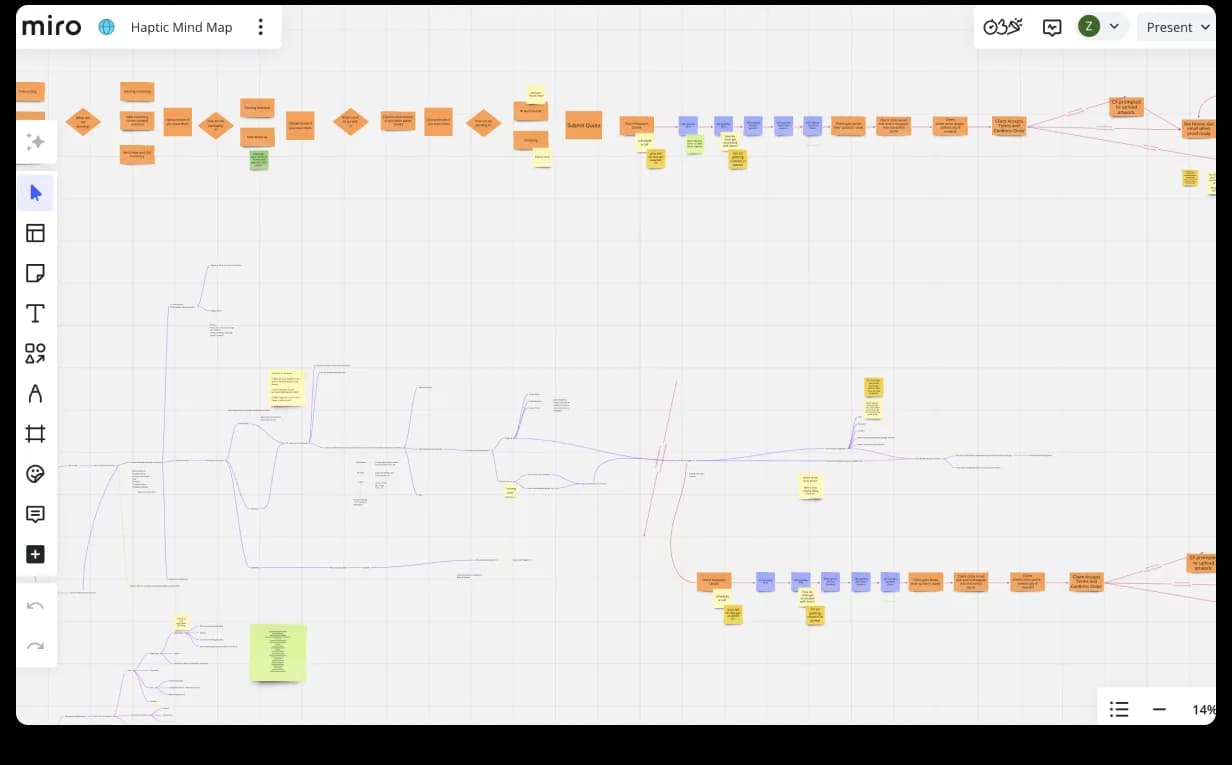
At the heart of the workflow was deep collaboration between our Design Manager and the client’s Product Manager. Every week we held two to three meetings — strategy sessions, not just check-ins — diving into current designs and exploring upcoming features. Before starting any feature, we brainstormed to ensure complete alignment, then designed each flow. We brought fresh suggestions; the client shared new flow ideas using tools like Miro.
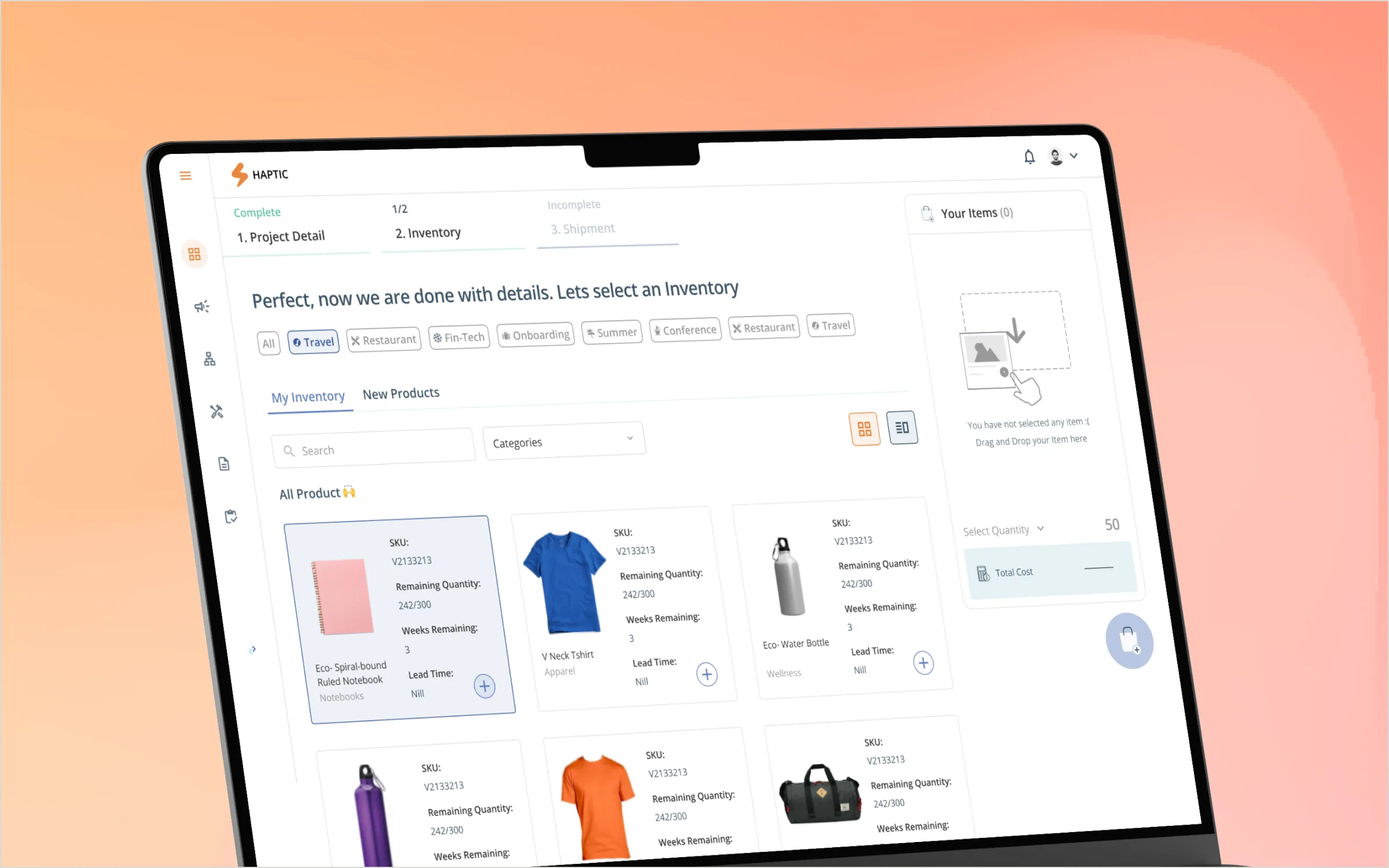
After careful analysis, we decided to build an all-in-one platform that would help brands book kits for logistics and display every bit of product information for clarity, transparency, and informed decisions. Once a brand creates a campaign, an alert is sent to the backend for smooth operation. We discussed it with the Product Manager, they were all in, and we rolled up our sleeves and started designing.
StrategyMiro
ExecutionDashboard
Chapter 01
Research came before screens.
All the client had was an idea and some user stories, so the first weeks looked nothing like design — they looked like research. We studied the goals, aims, and concerns of every stakeholder and their users’ needs, mapping the journey and the system before any UI was drawn. That upfront strategy is what made the design phase fast.
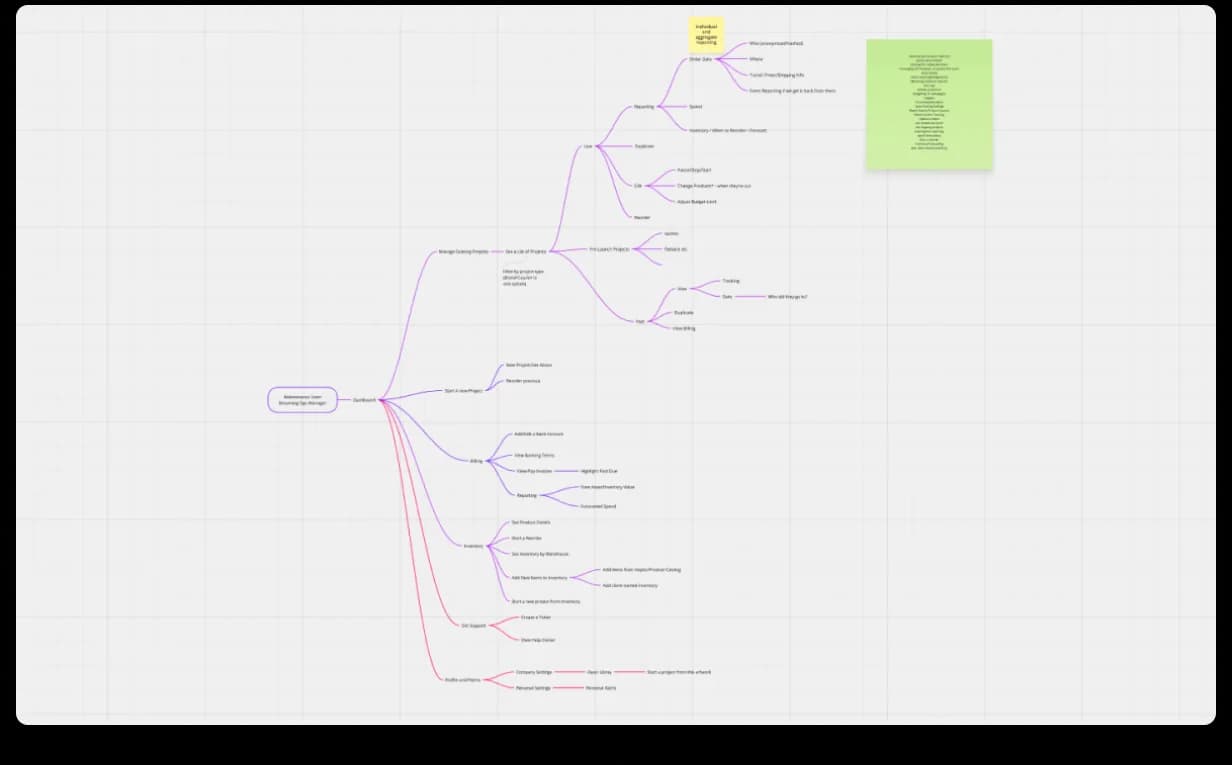
Research · 01Mind map · every module, flow, and dependencyStrategy phase
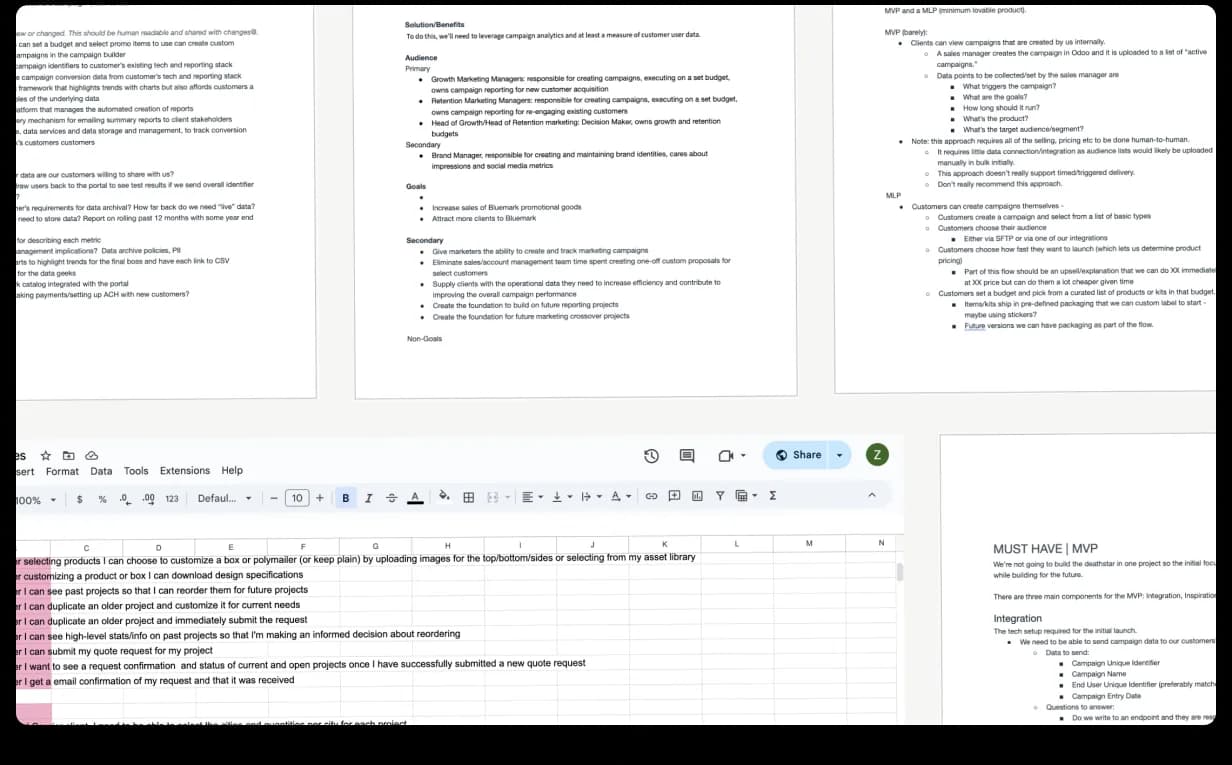
Research · 02User stories · goals · MVP scope · the all-in-one thesisStrategy → design
Chapter 02
Dashboard: the surface users land on.
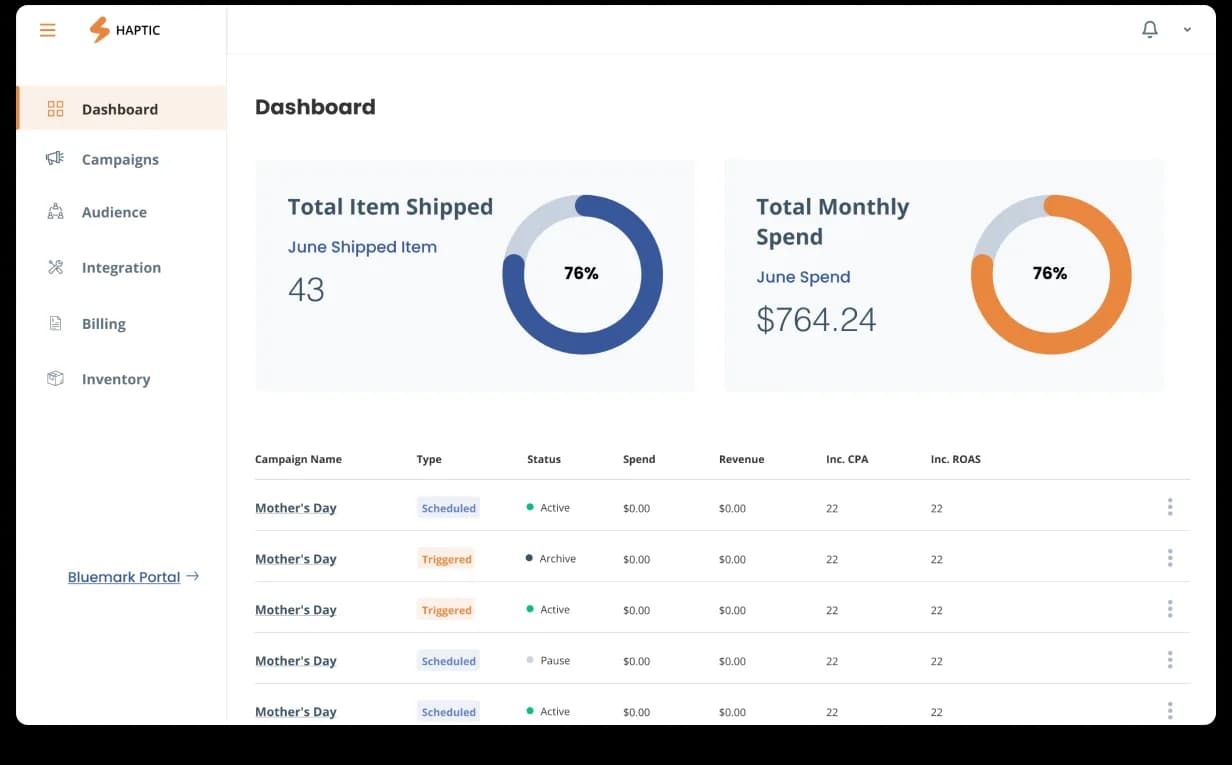
We created a simple dashboard where the user lands right after signing in. It shows the different campaigns with their type, status, spend, and revenue, the total items shipped, and the total monthly spend. For better data visualization, we integrated a graph presenting the number of products delivered.
DashboardCampaigns · status · spend · revenue · items shipped · monthly spendLand, then act
Chapter 03
Campaign: plan, target, and configure a branded shipping push.
The dashboard takes you to campaigns — shown in a list, with the option to create a new one. Setting one up, you add its name, goal, description, frequency, start and end dates, and type (scheduled or trigger), and see every metric on a single screen: total spend, CPA, ROAS, and revenue.
From there you select the audience, choose the products to ship with quantities, and design a kit with your brand logo and its correct placement alongside the logistics details — then review it and jump to the final page to finalize, ensuring accuracy and a smooth execution process.
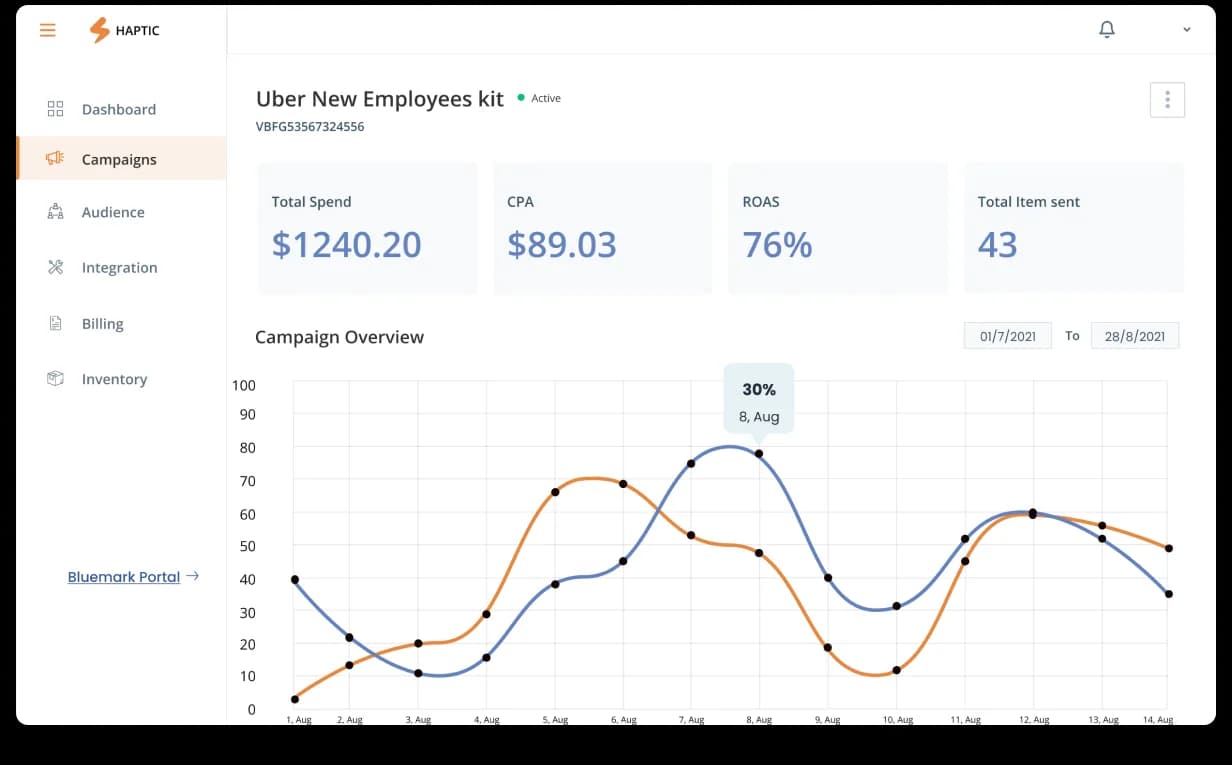
CampaignDetails · metrics (spend · CPA · ROAS · revenue) · audience · products · kit · reviewOne structured flow
Chapter 04
Audience: manage recipients and target with precision.
We created a separate Audience section to simplify campaign management and improve targeting. Users see campaign or kit names with the number of registered members and a short description, and can create a new audience by adding name, description, personal information, and shipping details. A drag-and-drop feature lets brands add gift hampers or product samples for shipping effortlessly.
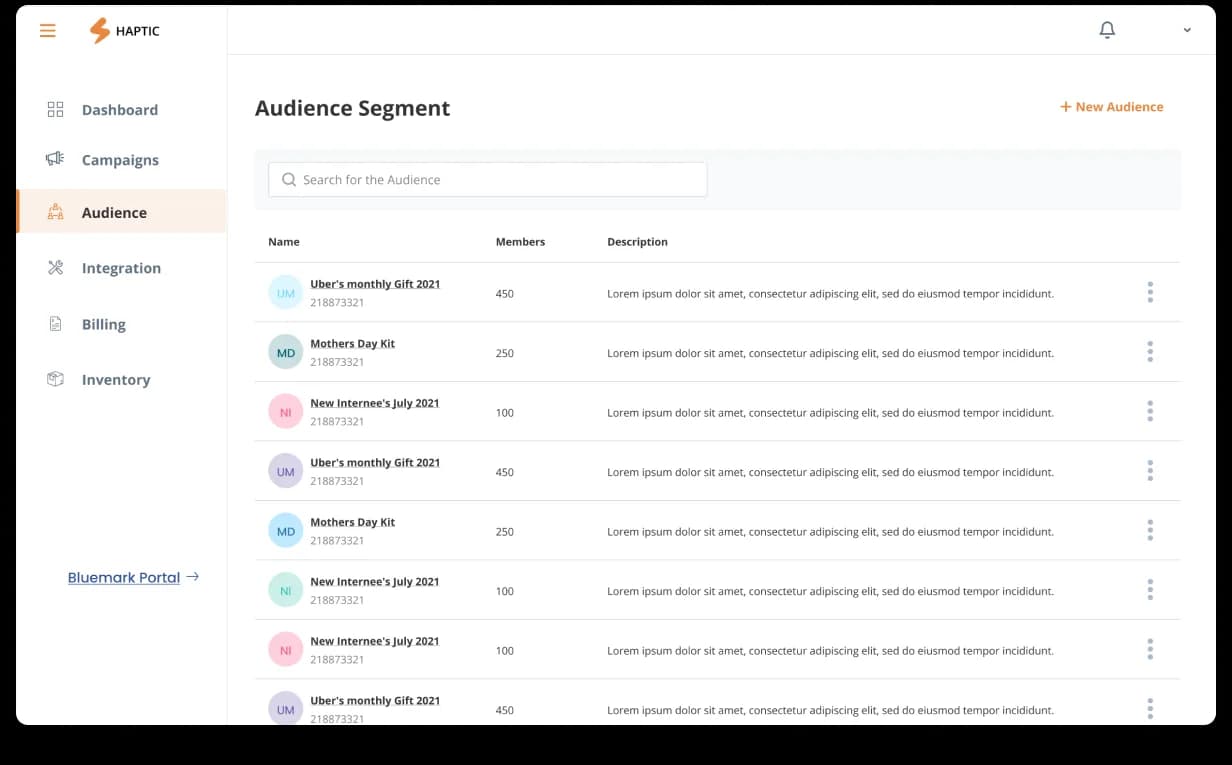
AudienceRegistered members · custom lists · shipping details · drag-and-drop hampersWho receives what
Chapter 05
Inventory: real-time stock, deep filters, and a data view.
A dedicated Inventory section gives real-time stock visibility across everything purchased through the backend — product status, current quantity, incoming stock, usage, and out-of-stock details. Clicking a product reveals recent orders, quantity, usage in kits, variants, and status.
Advanced filters from the sidebar sort products by status, incoming stock, usage, and more, and can be saved for next time. A dashboard view adds a pie chart of total products and a graph of the most-shipped items, with a full breakdown of current, incoming, and overall stock for data-driven decisions.
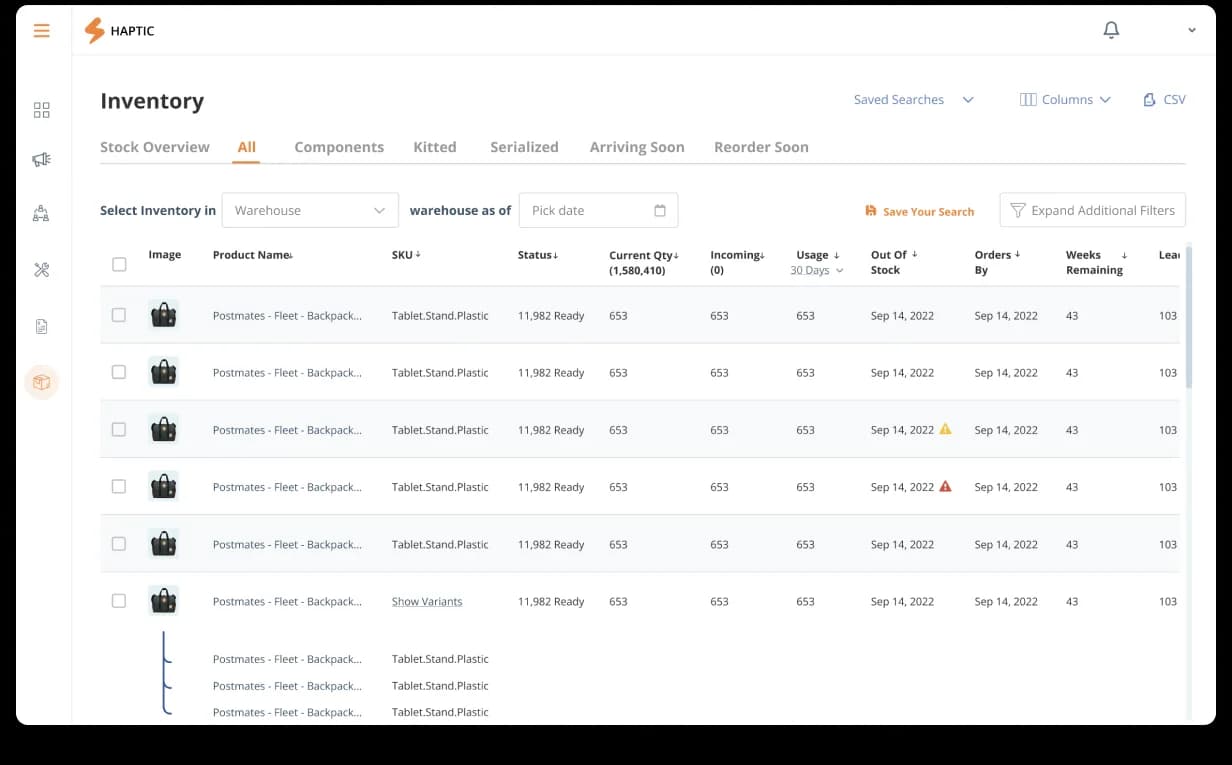
InventoryStock overview · status · quantity · incoming · usage · out-of-stockReal-time visibility
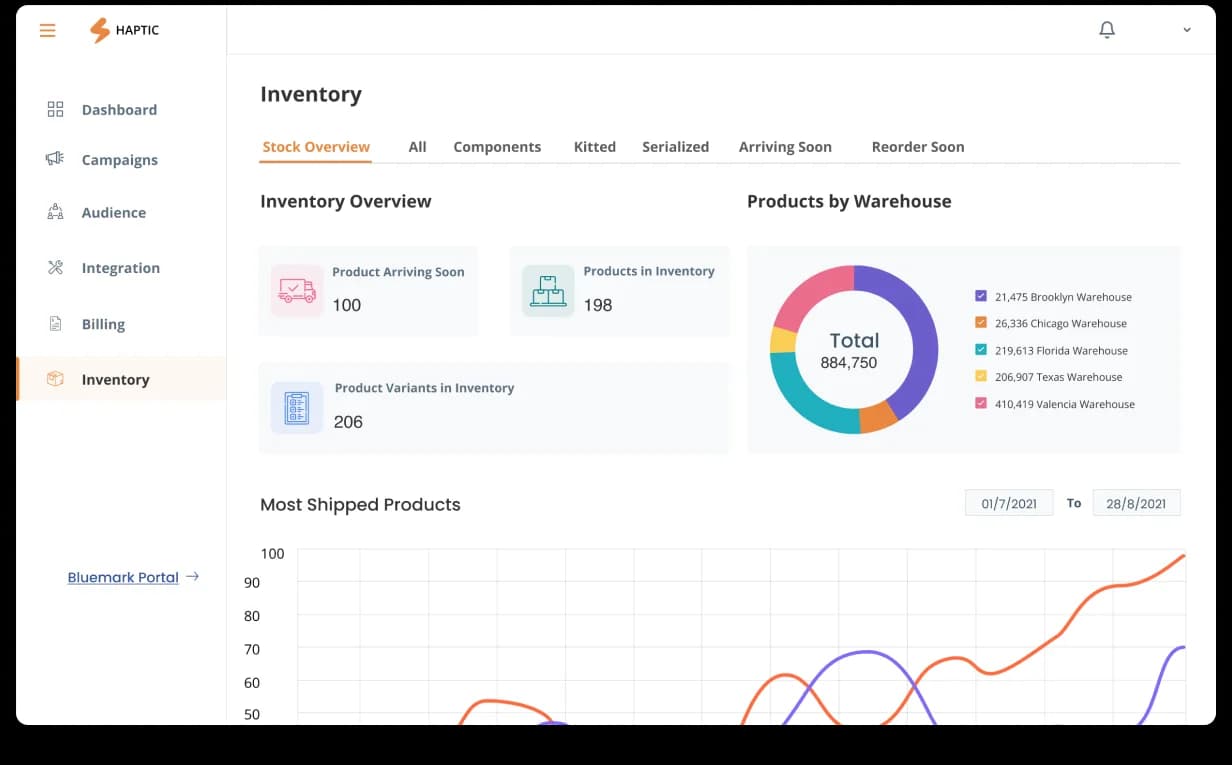
Inventory · data viewPie chart of products · most-shipped graph · current, incoming, and overall stockData-driven decisions
Chapter 06
User testing rewrote the flow: Campaigns became Projects.
User testing showed the campaign-creation flow could be simpler and easier to understand, so we evaluated the previous flow and designed a new, more intuitive one — starting with a workflow mind map to visualize and optimize the journey.
To simplify things, we replaced Campaigns with Projects so users could book products and branded kits more efficiently. A new onboarding screen guides four essential actions — create a project, invite team members, take a tour, and complete your profile — and creating a project starts by choosing a goal (onboarding, retention, or marketing), followed by details like name, description, and frequency.
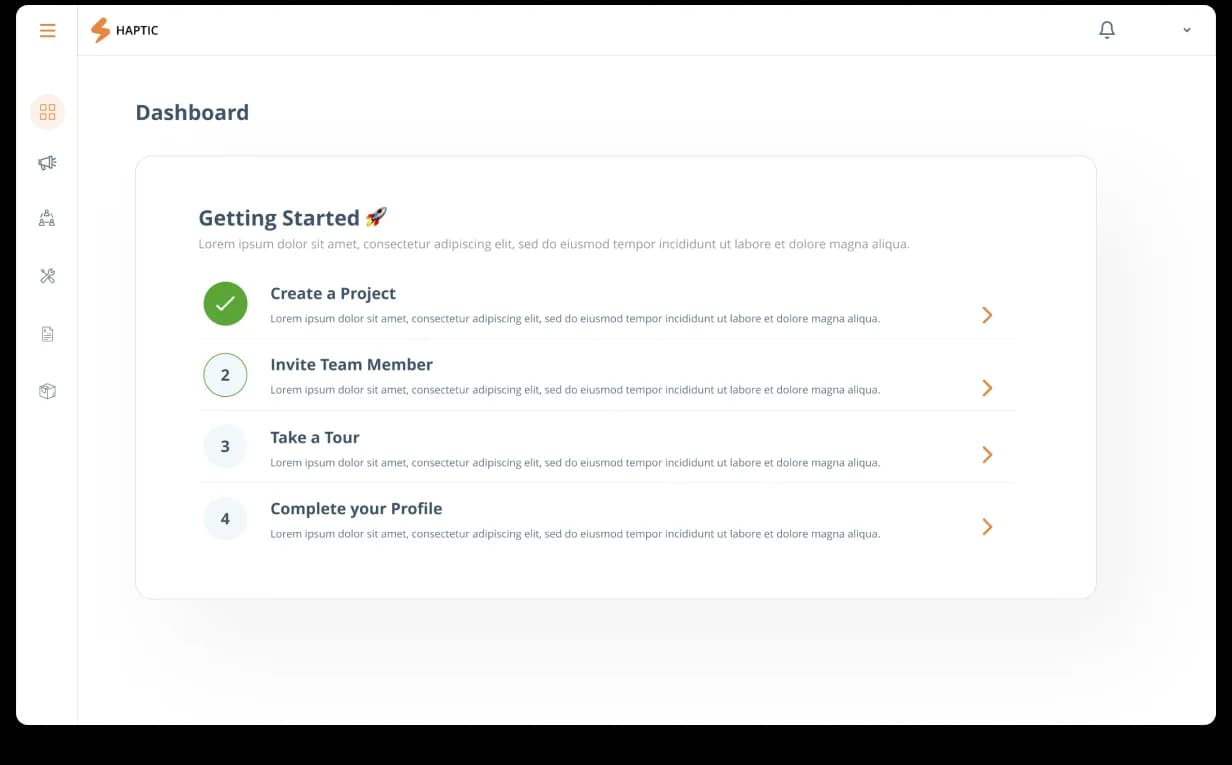
The new flowProjects mind map · create → invite → tour → profile → goalPost user-testing
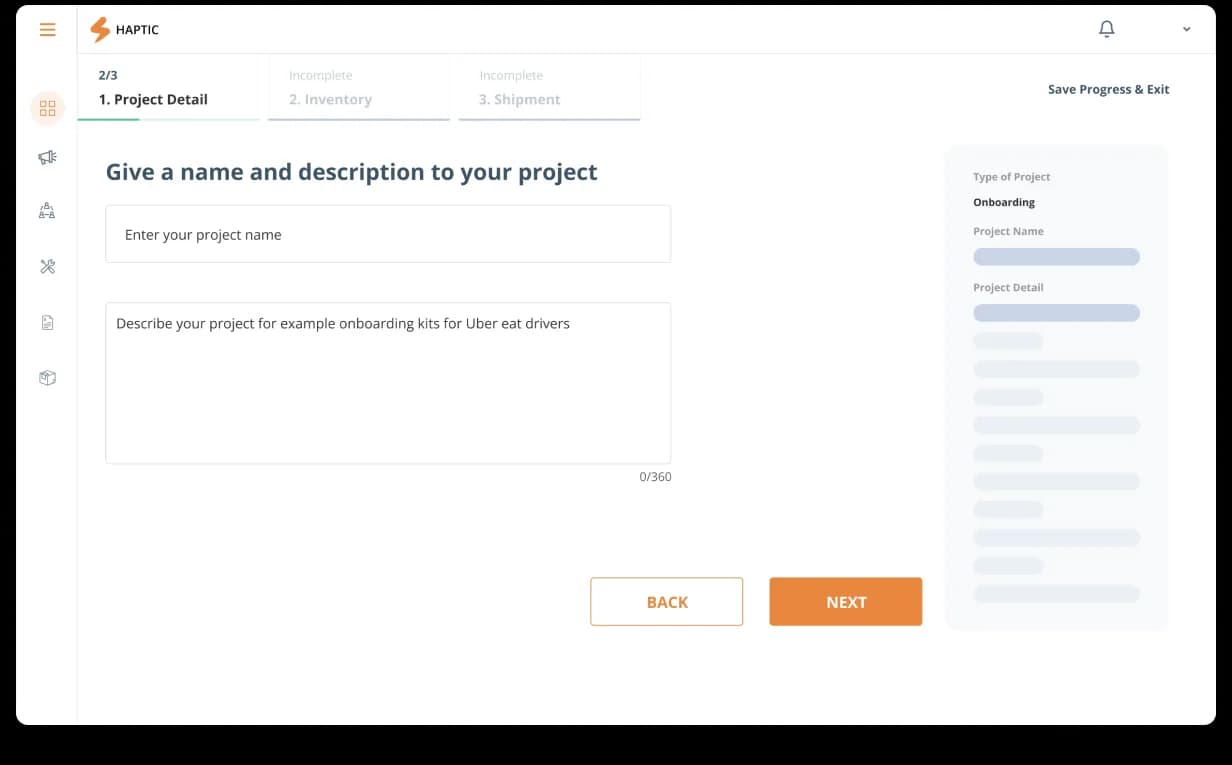
Create projectGoal (onboarding · retention · marketing) → name · description · frequencySimplified onboarding
Chapter 07
From kit to ship: configure, bill, and approve before manufacturing.
After setup, users create a kit — selecting products and adjusting quantity, color, and specifications, then choosing packaging type, shipping method, dispatch warehouse, arrival location, and transit time. Before finalizing, a detailed billing section shows a complete price breakdown, modification options, contact information, and terms and conditions for transparency and trust.
To eliminate production errors, a three-step approval process gates the work: users upload artwork for each product, a PDF preview is generated for review, and on approval a physical sample is sent for final verification before bulk production. Once the final approval is in, bulk production begins and kits ship on schedule.
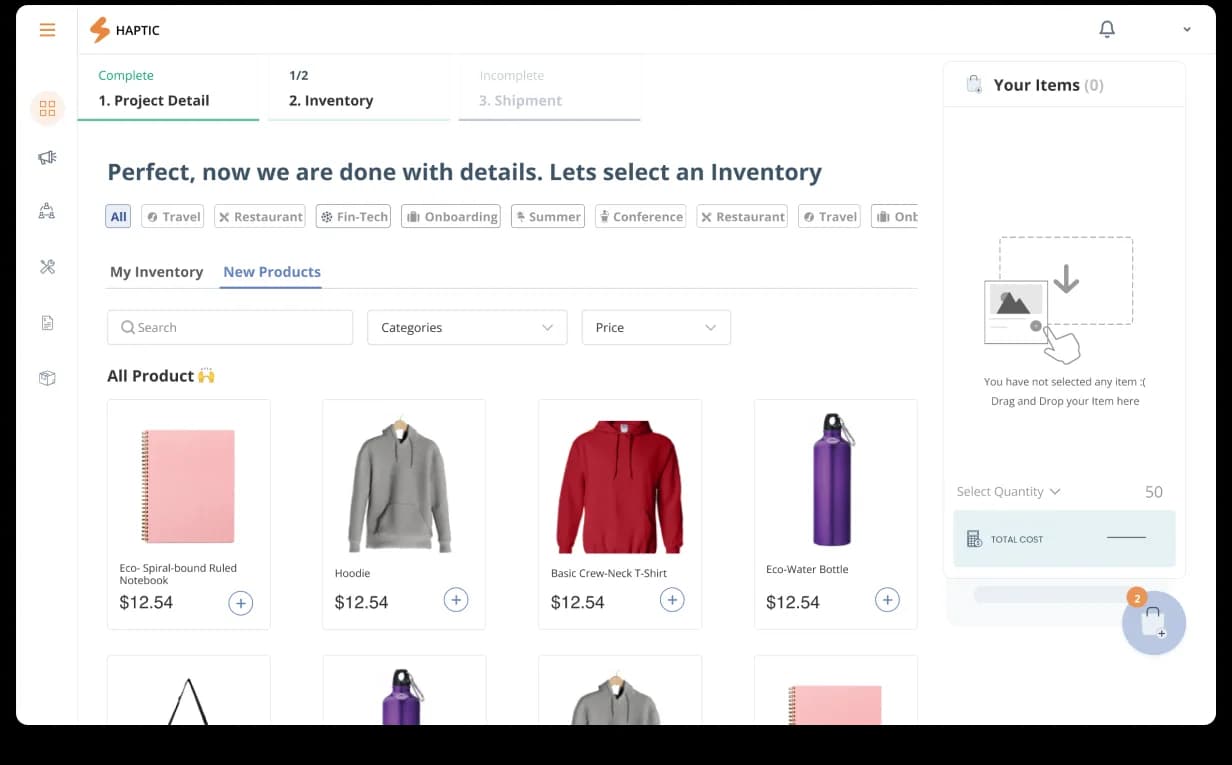
Kit BuilderProducts · qty · color · packaging · shipping · warehouse · transitDigital becomes physical
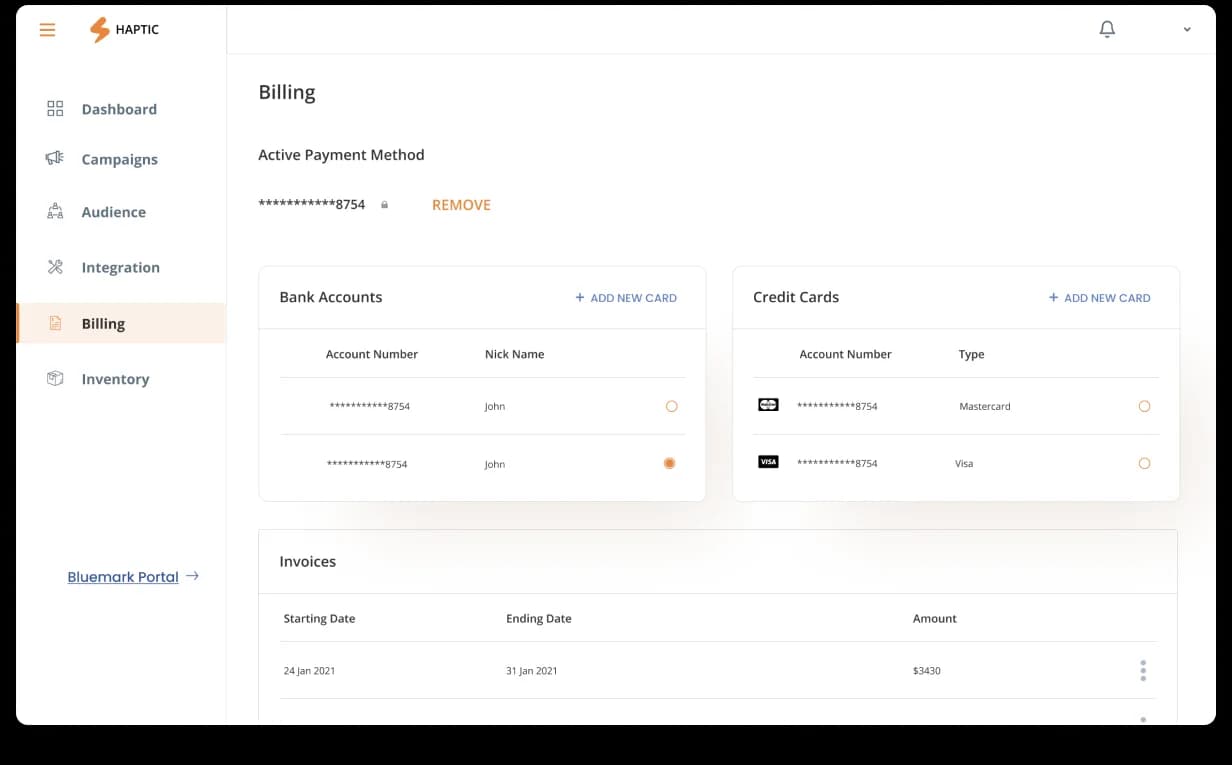
BillingFull price breakdown · modifications · terms · contactTransparent by design
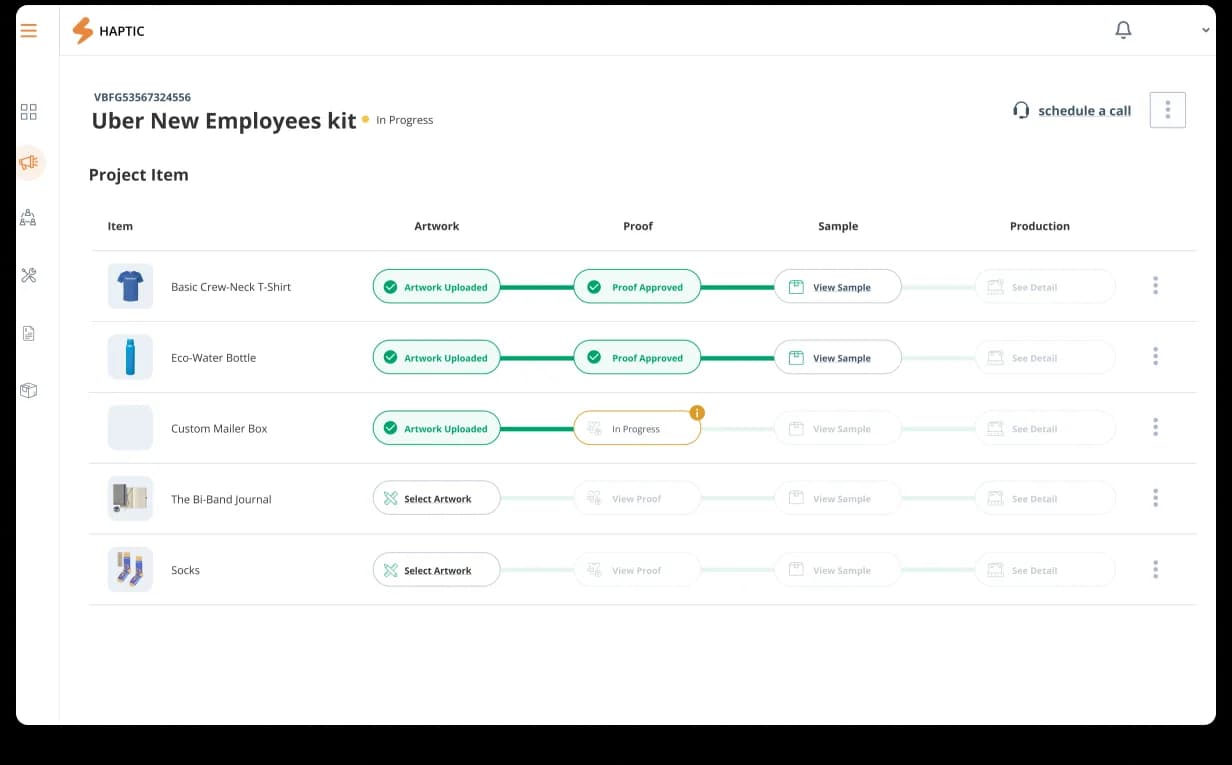
ApprovalArtwork upload → PDF preview → physical sampleErrors caught before manufacturing
Outcome · client satisfied · sent to development
From an idea to shipped to dev.
The client was satisfied with the design and sent the product straight for development. From an idea and user stories through research, design, user testing, and a rebuilt Projects flow, Denovers acted as the strategic partner the team didn’t have in-house — turning a manual, outdated process into a fast, automated B2B logistics SaaS.
Have a similar project in mind? Say goodbye to manual tasks and hello to increased productivity. Let Denovers streamline your operations with a fast, efficient, and automated SaaS platform built for you.
Book a consultation
More work in Enterprise SaaS.
100+ screens, dual-theme design system, and a 5.0 Clutch review across every category.
Outcome→2-year embedded partnership. Cosmos Control Center redesigned ground up.
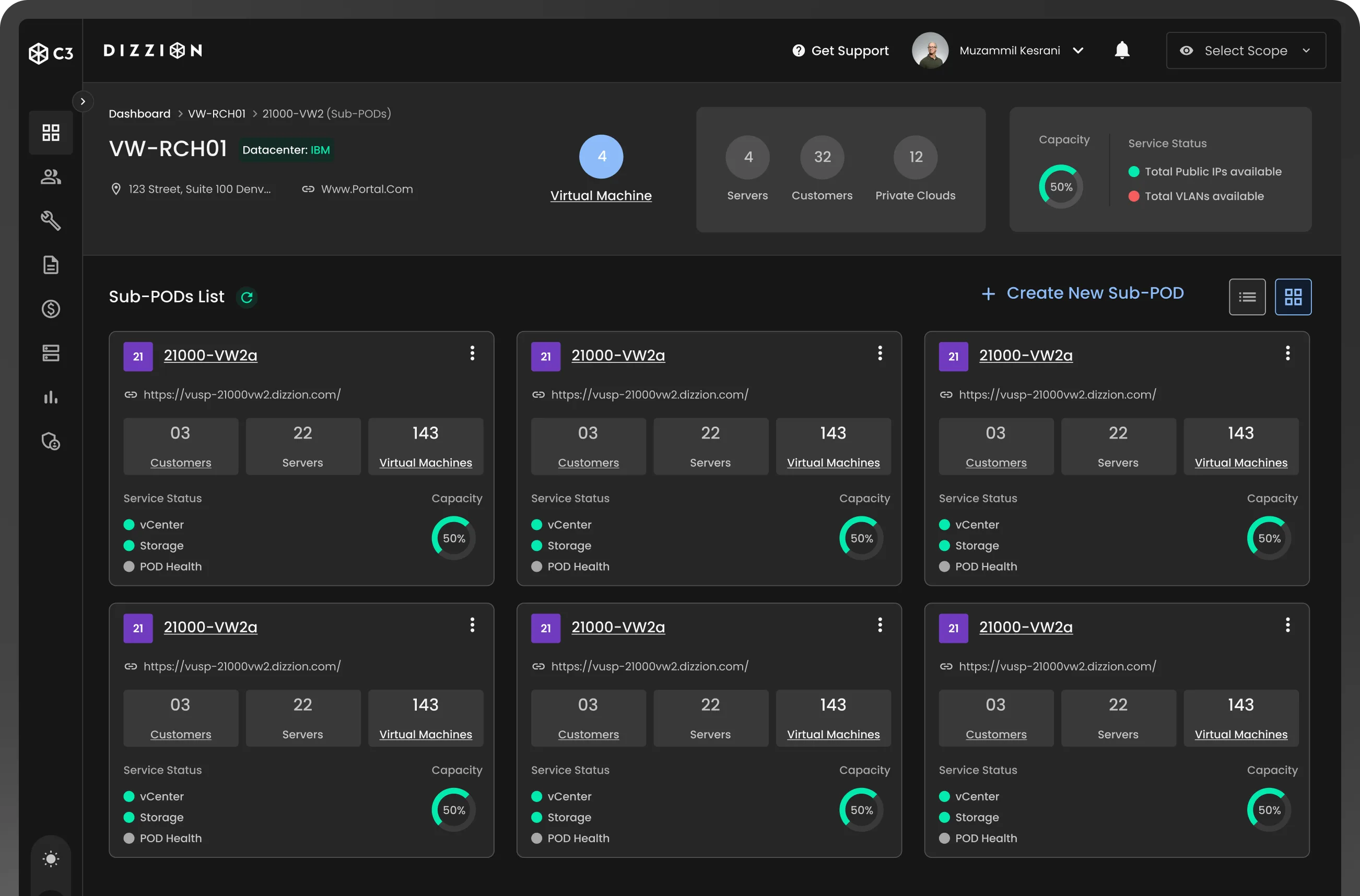
Internal CRM redesigned and engineered to production for a 35-year home-improvement leader.
Outcome→Design + ReactJS implementation by one team. Ongoing partnership.